
Quotes
Send quotes customers can approve in one click
Stop chasing signatures on a PDF. Send an itemized quote with a validity date, let the customer review and approve it from a secure link, and move straight into invoicing without retyping a single line item.
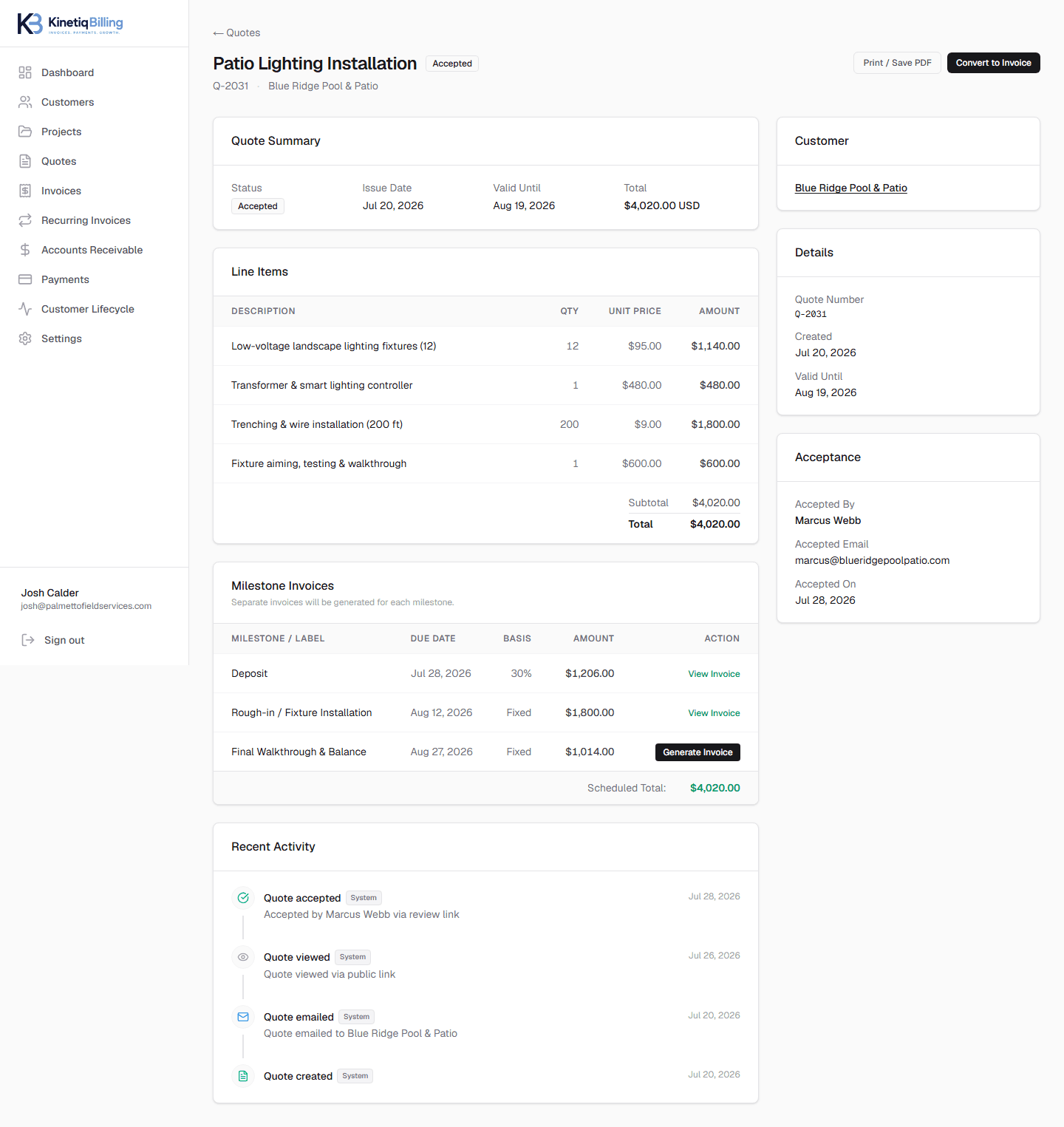
Approval without the back-and-forth
Customers review and accept from a secure link — no printing, scanning, or email attachments.
Quotes that expire on your terms
Set a validity date so stale pricing can't be accepted weeks after you sent it.
One click into billing
An accepted quote becomes a flexible invoice or a set of milestone invoices — instantly.
How it works
Build the quote
Add line items, terms, and an expiration date.
Send a secure link
The customer opens it from email — no account required.
Customer approves
Acceptance is time-stamped and tracked automatically.
Convert to invoice
Turn it into one invoice or split it across milestones.
Choose milestone invoicing and turn an accepted quote into separate invoices per milestone.
Frequently asked questions
Is a quote in KinetiqBilling the same as an estimate?+
Yes — KinetiqBilling quotes work the same way an estimate does: a fixed, itemized price you send before work begins. Once a customer accepts, the quote becomes the source of truth for the invoice or invoices that follow.
Can quotes expire?+
Yes. Every quote has a validity date you control. After it passes, the quote is marked expired and can no longer be accepted through the secure link, so customers can't act on stale pricing.
What happens after a customer accepts a quote?+
You choose how to collect: convert the accepted quote into a single flexible invoice, or split it into separate invoices per deposit and milestone. Either way, nothing needs to be re-entered.
Related
Related feature
Invoices that track themselves from sent to paid
Create invoices from scratch or from an accepted quote, with automatic sent/viewed/paid lifecycle tracking and PO number support.
Related feature
Bill in phases, without losing track of any of them
Turn an accepted quote into separate invoices for each deposit, progress payment, and final balance — each tracked independently.
Related solution
Billing built for multi-phase contracting work
Quotes, deposits, progress payments, and final balances that match how contracting jobs actually get billed.
Related guide
Quote vs. Invoice: What's the Difference?
A quote is a price you propose before work begins; an invoice is a bill for work you've already done or are about to do under agreed terms. Here's how the two connect.
Ready to simplify your billing?
KinetiqBilling handles quotes, invoices, receivables, payments, recurring billing, and related workflows, and is currently available by request rather than open signup.