
Accounts Receivable
See every dollar you're owed, in one place
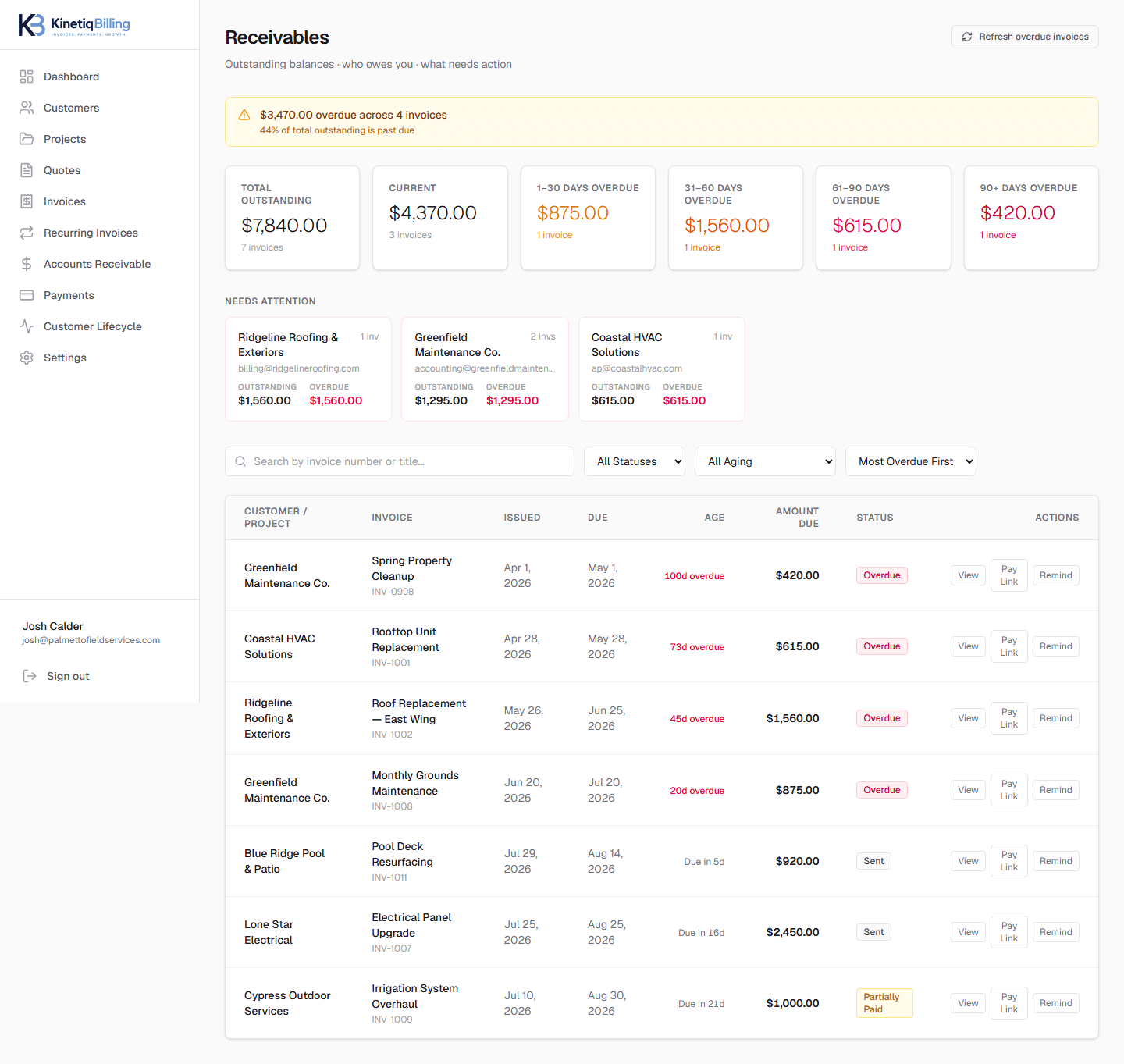
Stop reconstructing who owes you money from a spreadsheet. Every open and overdue invoice rolls up automatically into current, 1–30, 31–60, 61–90, and 90+ day aging buckets, by customer, so collections decisions take seconds instead of an afternoon.
Aging buckets, computed for you
Every invoice is placed in the right bucket automatically from its due date.
Customer-level rollups
See a customer's total outstanding balance across every invoice, not just one at a time.
Nothing to reconcile by hand
Partial payments, refunds, and manual payments all update balances in real time.
How it works
Invoices go unpaid or partially paid
Balances stay live as payments come in.
Aging updates automatically
Every invoice lands in the correct bucket by due date.
Review who needs a nudge
See overdue customers ranked by balance and age.
Send a reminder or statement
Follow up without leaving the workspace.
See every open balance, aging bucket, and who needs a nudge — at a glance.
Frequently asked questions
How does KinetiqBilling calculate aging buckets?+
Every open invoice is bucketed by days past due — current, 1–30, 31–60, 61–90, and 90+ — computed automatically from due dates so your receivables dashboard always reflects reality without a manual review.
What happens to partially paid invoices in accounts receivable?+
A partially paid invoice shows its remaining balance in the correct aging bucket — you always see exactly what's still outstanding per customer, not just an all-or-nothing paid/unpaid flag.
Can I see a single customer's total balance across every invoice?+
Yes — the accounts receivable workspace rolls up every open and overdue invoice by customer, so you can see who owes what without opening each invoice individually.
Related
Related feature
Every payment, every method, one audit trail
A complete history of Stripe and manually recorded payments against every invoice, plus refund tracking and payment reminders.
Related feature
A complete billing history for every customer
Every quote, invoice, payment, and billing requirement for a customer lives on one record — plus statements you can send on demand.
Related feature
The numbers behind your quote-to-cash workflow
Reporting on collections, receivables aging, and quote performance — the billing metrics that matter, without full accounting software.
Related guide
What Is Accounts Receivable?
Accounts receivable is the money customers owe you for work you've already billed. Here's what it means in practice and how to track it without a spreadsheet.
Related article
How to Track Unpaid Invoices
Tracking unpaid invoices well means aging them automatically, rolling balances up by customer, and reviewing overdue accounts on a regular cadence.
Ready to simplify your billing?
KinetiqBilling handles quotes, invoices, receivables, payments, recurring billing, and related workflows, and is currently available by request rather than open signup.